
Developer Accounts
Managing your developer account.
Your Eagle Eye Networks developer account is the starting point for building on the Eagle Eye Video API Platform. From this account, you’ll create and manage the applications (API clients) that integrate with the EEN Cloud, generate and rotate Client Credentials, and work with EEN support when you need help during development or deployment.
This section explains the core concepts you’ll use throughout the platform—what a Developer Account is (and what it is not), how applications are represented in EEN, and how Client Credentials are issued and used to authenticate API requests. By the end, you’ll know how to organize your developer assets, keep credentials secure and maintainable, and avoid common setup pitfalls (like account type mix-ups and email conflicts).
Creating Your Developer Account
A developer account can be created on the My Application page of the developer portal. The form requires a valid email address, which will be used for account verification and future communications. Note that this email address must be unique and not already associated with an existing Eagle Eye Networks End User or Reseller account.
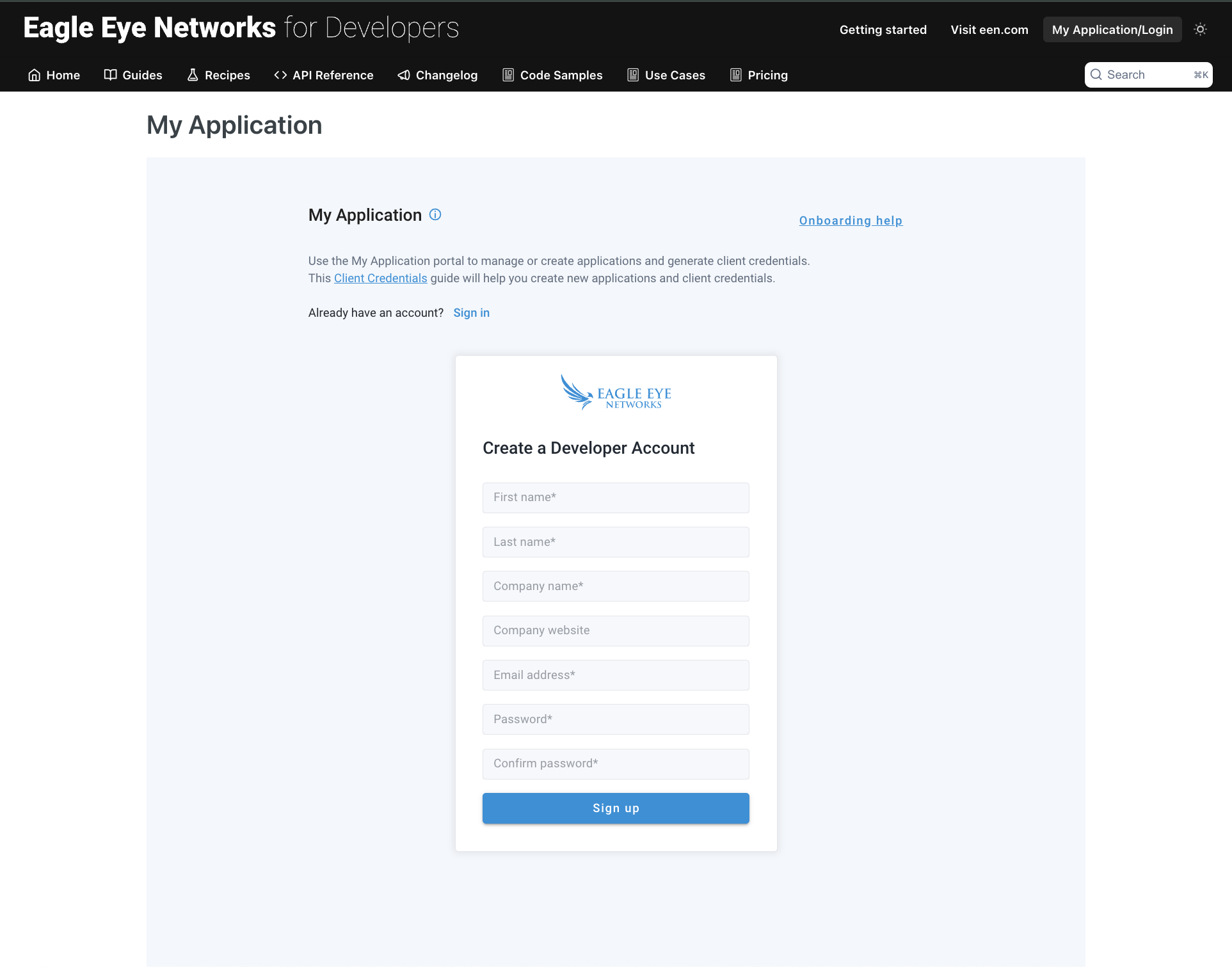
After completing the sign up form and clicking the Sign up button, you'll receive a welcome email. Follow the instructions to confirm your email address and gain access to your account.
Logging In to Your Developer Account
If you already have a developer account, you can log in and access access your developer dashboard by navigating to the My Application page. If you see the sign-up form, simply click the Sign In link at the top of the form to skip the sign-up process and navigate to the login page.
Please Ensure the Correct Account Type When Logging In
Make sure you log in to the developer portal with a developer account and not an End User or Reseller account, as these are separate types of accounts. If you log in with the incorrect account, you may encounter issues when trying to create applications or access developer features.
For example, a 403 response when creating an application indicates that you have logged in with an End User Account and then lack permission to create an application.
Updated 4 months ago